In one sentence: DNS stands for Domain Name System, the service that turns a website name like shieldnetlab.com into the IP address your device needs to open that site.
That’s the whole DNS meaning in a line. The rest of this page is what happens behind it, in plain words.
I test VPN and DNS settings on my own phone, and DNS is the first thing I check when a website won’t open. So this guide covers the basics, then shows you how to look at your own DNS setup, which most guides skip.

Quick answer
| Question | Answer |
|---|---|
| DNS full form | Domain Name System |
| What it does | Changes names (google.com) into IP addresses |
| Who gives you DNS by default | Usually your internet provider (ISP), through your router |
| Can you change it | Yes, on your phone, laptop or router |
DNS meaning in simple words
People remember names. Computers use numbers. When you type a name into your browser, your device first has to find the matching number, and DNS does that in a fraction of a second, so you never notice it.
Think of a phone book. You look up “Sam” and get a number. DNS looks up “google.com” and gets an IP address.
The system dates back to 1983, when Paul Mockapetris designed it. Before that, computers shared one big list of names, and that list had grown too large to manage.

How a DNS lookup works, step by step
- Your browser checks its cache. If you visited the site recently, the answer may already be saved.
- Your device asks a DNS resolver. That’s usually your ISP’s server, or one you picked yourself, such as 1.1.1.1 or 8.8.8.8.
- The resolver asks a root server, which points to the servers for the ending (.com, .org, .uk).
- The TLD server points to the server in charge of that website.
- The authoritative server gives the real IP address.
- Your browser connects to that IP and the page loads.
The answer gets saved for a set time called TTL (time to live). That’s why a site you opened a minute ago loads a little faster the second time.
The DNS hierarchy
DNS is organised like a tree. The root sits at the top. Below it are the top-level domains (.com, .org, .uk). Below those are the domains people register, like shieldnetlab.com, and then subdomains such as www.

What is a DNS server?
A DNS server is a computer that answers name questions. Two kinds matter most:
- Resolver: the server your device asks. When people say “DNS server,” this is usually what they mean.
- Authoritative server: the server that holds the final answer for one website.
DNS vs an IP address
People mix these up all the time. An IP address is a number that identifies a device or server. DNS is the system that finds that number when you give it a name.
Common DNS record types
DNS stores more than IP addresses. Website owners set up different record types:
| Record | What it does |
|---|---|
| A | Points a name to an IPv4 address |
| AAAA | Points a name to an IPv6 address |
| CNAME | An alias that points to another name |
| MX | Says where email for the domain goes |
| NS | Says which server is in charge of the domain |
| TXT | Text notes, often used for email checks |
<!– KEEP YOUR EXISTING IMAGE: DNS record types –>
Popular public DNS servers
You aren’t stuck with your ISP’s DNS. Many people switch to a public one. These are the three most common:
- Cloudflare: 1.1.1.1 and 1.0.0.1
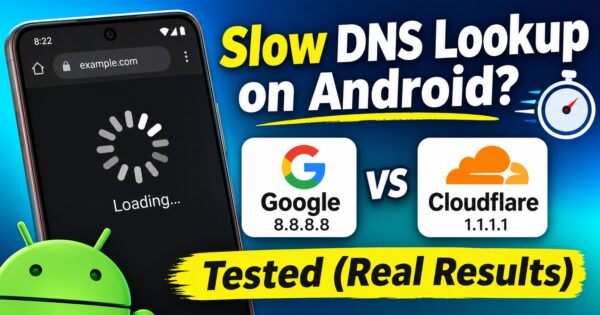
- Google: 8.8.8.8 and 8.8.4.4
- Quad9: 9.9.9.9 and 149.112.112.112

I also tried a public DNS together with a VPN, and you can see what happened in my NordVPN with Cloudflare DNS leak test.
Is DNS safe? Plain DNS vs encrypted DNS
Traditional DNS isn’t encrypted by default, so people on the same network, and your ISP, can see which names you look up. Two newer options encrypt those requests: DNS over TLS and DNS over HTTPS. Encryption hides the lookup from people on the network, but the DNS provider you choose can still see it.

What happens to DNS when you use a VPN
With a VPN on, your DNS lookups should travel through the VPN’s tunnel and be answered by the VPN’s own DNS servers. If some lookups skip the tunnel and go to your ISP instead, that’s called a DNS leak. Your IP can look fine while that happens, which is why it’s easy to miss.
I ran a real test to see what a clean result looks like in my NordVPN DNS leak test. If you want to know how DNS, IP and WebRTC leaks differ, read what a VPN leak is.
How to check your own DNS server
On Windows (about two minutes):
- Press Win + R, type cmd and press Enter.
- Type
ipconfig /alland find the line called DNS Servers. - Type
nslookup shieldnetlab.comto see the answer your DNS gives for a website.
On Android: open Settings and search for “Private DNS.” The exact menu name differs between phones. If it’s set to a custom provider, that’s your DNS setting. Off or Automatic means the phone uses what your network gives it. <!– KEEP YOUR EXISTING IMAGE if it is a real screenshot. If it is only an example output, say “example” in the caption. –>
When DNS goes wrong
When DNS fails, you may see “server not found” or a page that never loads, even though your internet is on. This also happens with VPNs: the app says connected, but no website opens.
- If that’s your problem, follow my step-by-step guide: NordVPN DNS not resolving fix.
- If you set your own DNS inside a VPN app and it keeps resetting, read why NordVPN custom DNS stops working.
- If the app won’t connect at all, see NordVPN stuck on connecting.
- Using ExpressVPN? Here’s what I found with ExpressVPN DNS settings.
Key terms
| Term | Meaning |
|---|---|
| Domain name | The name people type, like shieldnetlab.com |
| IP address | The number a computer uses to find another computer |
| Resolver | The DNS server your device asks first |
| Cache | A saved answer, so the lookup is faster next time |
| TTL | How long a saved answer can be kept |
| DNS leak | DNS requests escaping the VPN tunnel to your ISP |
Frequently asked questions
What does DNS stand for? DNS stands for Domain Name System.
What is DNS in simple words? It’s a lookup system that changes a website name into the number (IP address) your device needs to reach it.
What is the DNS full form in networking? The same: Domain Name System. In networking, it’s the service that resolves names to IP addresses.
Is DNS the same as an IP address? No. An IP address is the number of a device or server. DNS is the system that finds that number for a name.
Does changing DNS make my internet faster? Sometimes websites start loading a little faster because the lookup is quicker. It doesn’t raise your download speed.
Is DNS safe? Normal DNS isn’t encrypted by default. Encrypted DNS and VPNs add privacy, but they don’t make you anonymous.
What is a DNS leak? It’s when your DNS requests go to your ISP instead of through the VPN, even though the VPN says it’s connected.
Written from my own testing on my phone. Settings and menu names vary by device and app version.