Search “netflix error 103” and you’ll land on guides that blend at least three different errors into one. They look alike on screen. They are not the same problem, and the fix for one can do nothing for another. Here’s how to tell them apart.
The Short Answer to Netflix Error 103
If the screen says the title isn’t available in your current region and shows E103, Netflix can’t work out which country you’re in. Netflix names a VPN as one cause. If you see tvq-nw-103 or tvq-st-103 instead, the problem is stored data on your device or your network, not your location.
How to Tell Them Apart
| What you see | Code | What Netflix says it means | Netflix’s first step |
|---|---|---|---|
| “This title is not available in your current region” | E103 | Netflix can’t determine which country you’re in | Turn off any VPN, then sign out and back in |
| “Netflix has encountered an error” | tvq-nw-103 | Data stored on the device is stopping playback | Switch the device fully off for at least 30 seconds |
| “Unable to connect to Netflix” | tvq-st-103 | A network problem is stopping the device reaching Netflix | Restart the device, then the modem and router |
This table comes from Netflix’s own Help Center pages, listed at the bottom. It is not from our testing.
E103 and VPNs
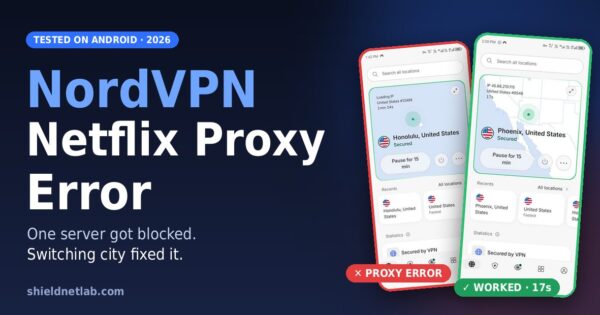
Netflix lists a VPN as one reason E103 can appear. That does not mean the VPN is “blocked”. The proxy error, the one that says you seem to be using an unblocker or proxy, is a different message. We covered that one in our NordVPN Netflix proxy error test.
E103 is vaguer. Netflix just can’t pin your location down. Our VPN detection tool test showed one reason this can happen: some VPN server IPs are labelled with the VPN company’s name in public lookups, while others look like ordinary hosting. A service can treat those two very differently.
What We Have Actually Tested
We hit E103 ourselves on a phone: ExpressVPN, Santa Monica server, Automatic protocol, about 1 minute 38 seconds into the connection, on one title. You can read it in our own E103 test on ExpressVPN. That test is still marked unresolved, so we’re not going to tell you which step fixed it.
Not tested: any smart TV or TV box. Everything below about TVs comes from Netflix’s guidance, not from us.
Needs my input: the VPN-off check and the sign-out step on our E103 case. Both are pending.
Fix Order for E103
- Turn the VPN off and try the same title.
- Sign out of Netflix and sign back in.
- If you need the VPN, reconnect and try a different server in the same country.
- Try a different title. If only one title fails, the cause may be that title’s availability, not your connection.
Fix Order for Error 103 on a TV
- Switch the TV or box fully off. Netflix says leave it off for at least 30 seconds, then try again.
- Unplug the modem and router, wait 30 seconds, plug them back in, wait a minute, then try again.
- If you’ve changed network settings on the device, Netflix says to put them back to default.
- Contact your internet provider if Netflix works on other networks but not yours.
A Note on Changing DNS
Some third-party guides suggest manually setting DNS for older “error 103” cases. Netflix’s own page for tvq-st-103 points the other way and says to restore default settings if you’ve changed them. We haven’t tested either on a TV. Treat a DNS change as something to try only after the official steps fail, and don’t trust any guide that promises it works every time.
Quick Answers
What does Netflix error E103 mean? Netflix can’t determine which country you’re in. The message says the title isn’t available in your current region.
Does a VPN cause Netflix E103? It can. Netflix lists a VPN as one cause. Turning it off and signing out and back in is Netflix’s first suggestion.
Is error 103 the same as E103? No. Codes like tvq-nw-103 and tvq-st-103 point to device data or network problems, and their fixes are different.
What fixes tvq-nw-103? Netflix says to switch the device fully off for at least 30 seconds, then turn it back on and try again.
Will changing DNS fix Netflix error 103? Not guaranteed. We haven’t tested it, and Netflix’s own guidance for one 103 code says to restore default settings
Related:Netflix Error E103: What It Means & How to Fix It (2026)